Coming from Claude Squad
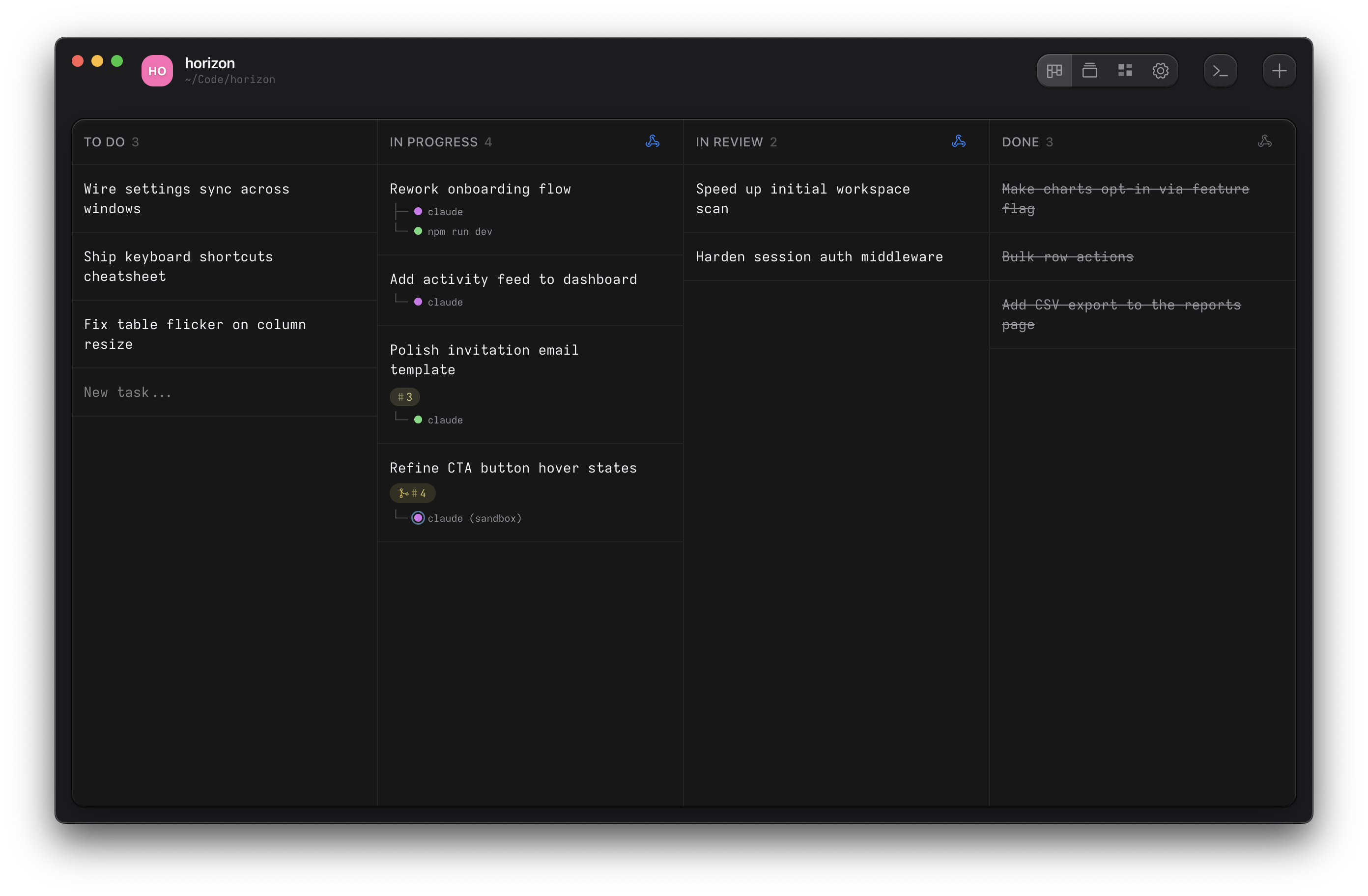
If you used Claude Squad, you already know how Ouijit works. Each task gets a git worktree and an agent, and the agent is still a CLI in a terminal. Here's how the pieces line up.
Why Ouijit
The agents run as their own CLIs in real terminals, in their worktrees, with no tmux in between. Each card shows what its agent is doing, and a sound or notification tells you when a turn ends.
Every agent gets the ouijit command. Ask it to split a feature into
tasks and it starts them, each with its own agent. It can read the other agents' terminals, open its plan
beside itself, link you to the line it changed, and stage review comments for you to send.
Auto-yes becomes safe. A task can run in a sandbox, so an agent with permission checks off is held to its worktree. Ouijit is free, open source, and runs on macOS and Linux.
What maps to what
A hook is a command the project runs when a task changes status. The start hook runs in the new worktree
with the task's prompt in $OUIJIT_TASK_DESCRIPTION, and the done hook runs when the task is
marked done. Both live under Project Settings → Lifecycle Hooks.
| Claude Squad | Ouijit |
|---|---|
| Session | Task. Starting it creates the worktree and opens a terminal in it. |
| n, N (new session, with a prompt) | New task. The prompt goes on the card, and the start hook hands it to the agent. ⌘N opens the composer from anywhere. |
| default_program and profiles | Start hook, per project, such as claude "$OUIJIT_TASK_DESCRIPTION". |
| cs -p codex | A different start hook, or a one-off command when you start the task. |
| -y, --autoyes | Run the agent with its permission checks off, in a sandbox that holds it to the worktree. |
| tmux session; ↵ to attach, ctrl-q to detach | A terminal card. Click it. Nothing to attach or detach, and no tmux. |
| Preview tab | The terminal itself, live. Each card shows whether its agent is thinking or waiting. |
| Diff tab | Diff review, with notes the agent reads |
| s (commit and push) | From the terminal, or a done hook that pushes. Pull requests from the project menu. |
| c (checkout), r (resume) | Nothing pauses. Open the worktree itself from Open in → Editor. Quitting saves the session, and the next launch restores the terminals in their worktrees. |
| D (kill session) | Trash the task. The worktree goes to the system trash. |
| ↑/↓, j/k | The sidebar, or ⌘K to jump to any terminal, task or project. |
| One branch per session | One branch and worktree per task, named after the task number, such as T-42. |
| tmux and gh | Nothing. gh only for the pull request surface. |
What you give up
- Living in one terminal. Ouijit is a desktop app, and the terminals live in it.
- Gemini and Aider integration. Any CLI runs in an Ouijit terminal, but only Claude Code, Codex, Pi and OpenCode get live status and the
ouijitcommand. - Auto-yes. Run the agent with its permission checks off in the sandbox instead.
- One key to commit and push. Do it from the terminal, or put it in a done hook.
Move a project over
- Push or finish your Claude Squad sessions. Ouijit makes its own worktrees.
- Install Ouijit and open the repository as a project.
- Under Project Settings → Lifecycle Hooks, put your
default_programcommand in the start hook with the task's prompt, for exampleclaude "$OUIJIT_TASK_DESCRIPTION". - If you ran with
--autoyes, add--dangerously-skip-permissions, or your agent's equivalent, to that command and set the hook to run in the sandbox, in its row under Lifecycle Hooks. - For pull requests in the app, enable them under Project Settings → Experimental and run
gh auth login. - Press
⌘Nfor a task, give it a prompt and start it. The start hook runs in its new worktree.