Coming from Vibe Kanban
If you used Vibe Kanban, you already know how Ouijit works. Each task gets a git worktree and an agent, and you run them from a board. Here's how the pieces line up.
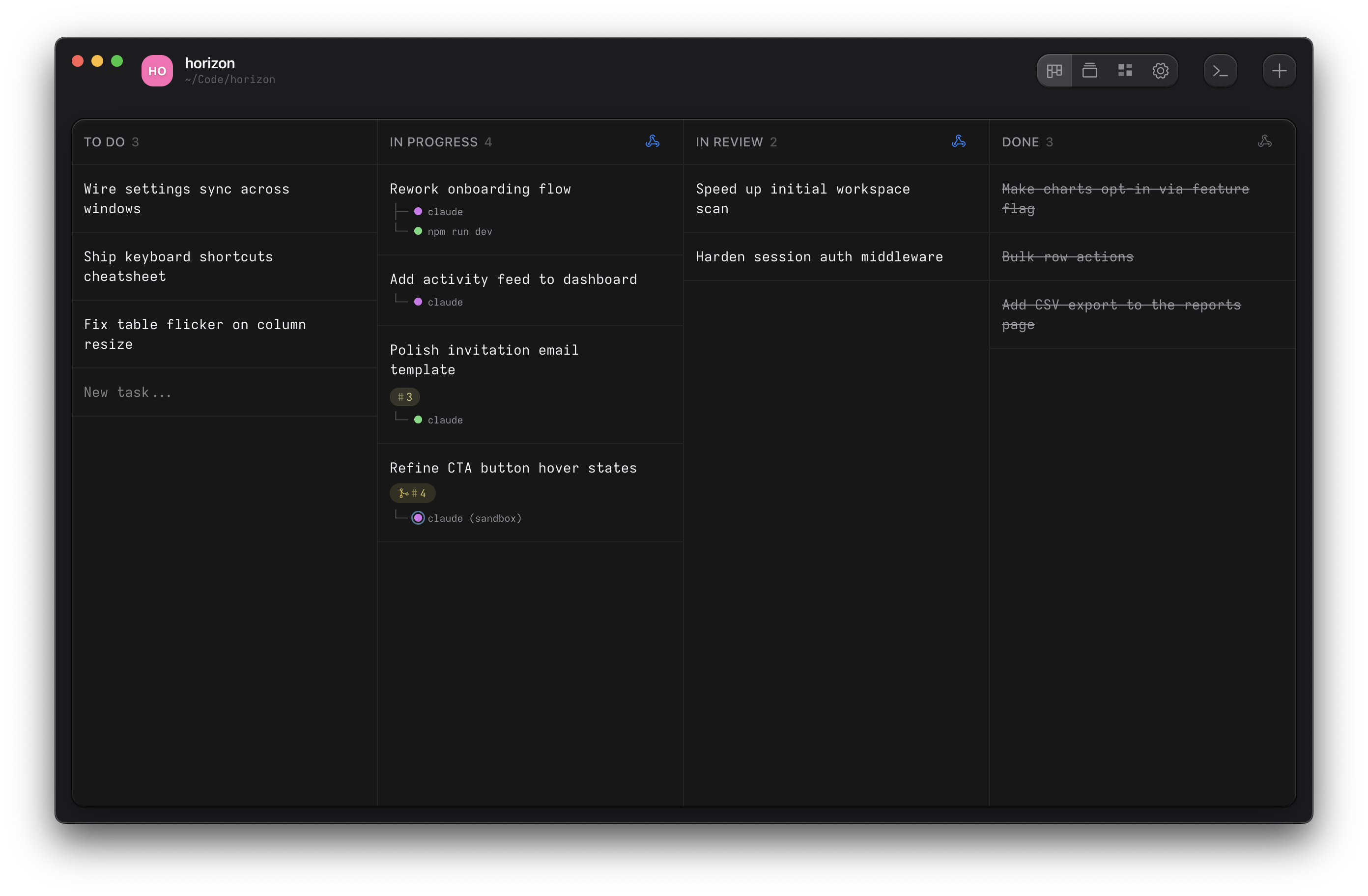
Why Ouijit
The agent runs as its own CLI in a terminal, in the task's worktree, so Claude Code, Codex, Pi and OpenCode work exactly as they do anywhere else.
Every agent gets the ouijit command. Ask it to split a feature into
tasks and it starts them, each with its own agent. It can read the other agents' terminals, open its plan
beside itself, link you to the line it changed, and stage review comments for you to send.
A task can run in a sandbox, so an agent with permission checks off is held to its worktree. Ouijit is free, open source, and runs on macOS and Linux.
What maps to what
A hook is a command the project runs when a task changes status. The start hook runs in the new worktree
with the task's prompt in $OUIJIT_TASK_DESCRIPTION, and the done hook runs when the task is
marked done. Both live under Project Settings → Lifecycle Hooks.
| Vibe Kanban | Ouijit |
|---|---|
| Project | Project |
| Issue | Task. A card on the board, with a name and a prompt for the agent. |
| Sub-issue | None as a status relation. Branch from this task, in the task menu, starts a new task off the parent's branch. |
| Workspace | A started task: its worktree and the terminals open in it. One repository per task. |
| Session | A terminal on the task. Open several to run several agents on one task. |
| Setup script | Start hook. It runs in the new worktree when the task starts, and usually launches your agent. |
| Dev server script | Scripts, under Run Commands. Each runs in a runner panel beside the terminal. |
| Cleanup script | Done hook |
| Chat interface and slash commands | The agent's own CLI, in a terminal |
| Preview browser | Web preview panel |
| Changes panel and comments | Diff review, with notes the agent reads |
| Target branch | Merge target |
| Create PR | Pull requests, from the project menu |
| Merge, rebase, push | From the terminal, or a done hook that pushes |
| Tags (@snippets) | None |
| MCP server | The ouijit CLI, which every agent in Ouijit already has |
| Remote access, Cloud | Not yet. Ouijit runs on your machine today; hosted workspaces are on the roadmap. |
What you give up
- Seven of Vibe Kanban's ten agents. Gemini CLI, Amp, Cursor, Copilot, Droid, Qwen Code and Claude Code Router run in an Ouijit terminal like any CLI, but without live status or the
ouijitcommand. - Workspaces spanning several repositories. A task is one repository.
- Remote access and Cloud, for now. Ouijit runs on your machine today; hosted workspaces are on the roadmap.
- @snippet tags in prompts. Ouijit's tags are labels on terminals, for grouping them in the Tags view.
Move a project over
- Install Ouijit and open the repository as a project.
- Under Project Settings → Lifecycle Hooks, put your setup script and your agent command in the start hook, for example
npm install && claude "$OUIJIT_TASK_DESCRIPTION". - Add your dev server script under Project Settings → Run Commands.
- Put your cleanup script in the done hook.
- Recreate open issues as tasks with
⌘Nand start them. The start hook runs in each new worktree.