Coming from Superset
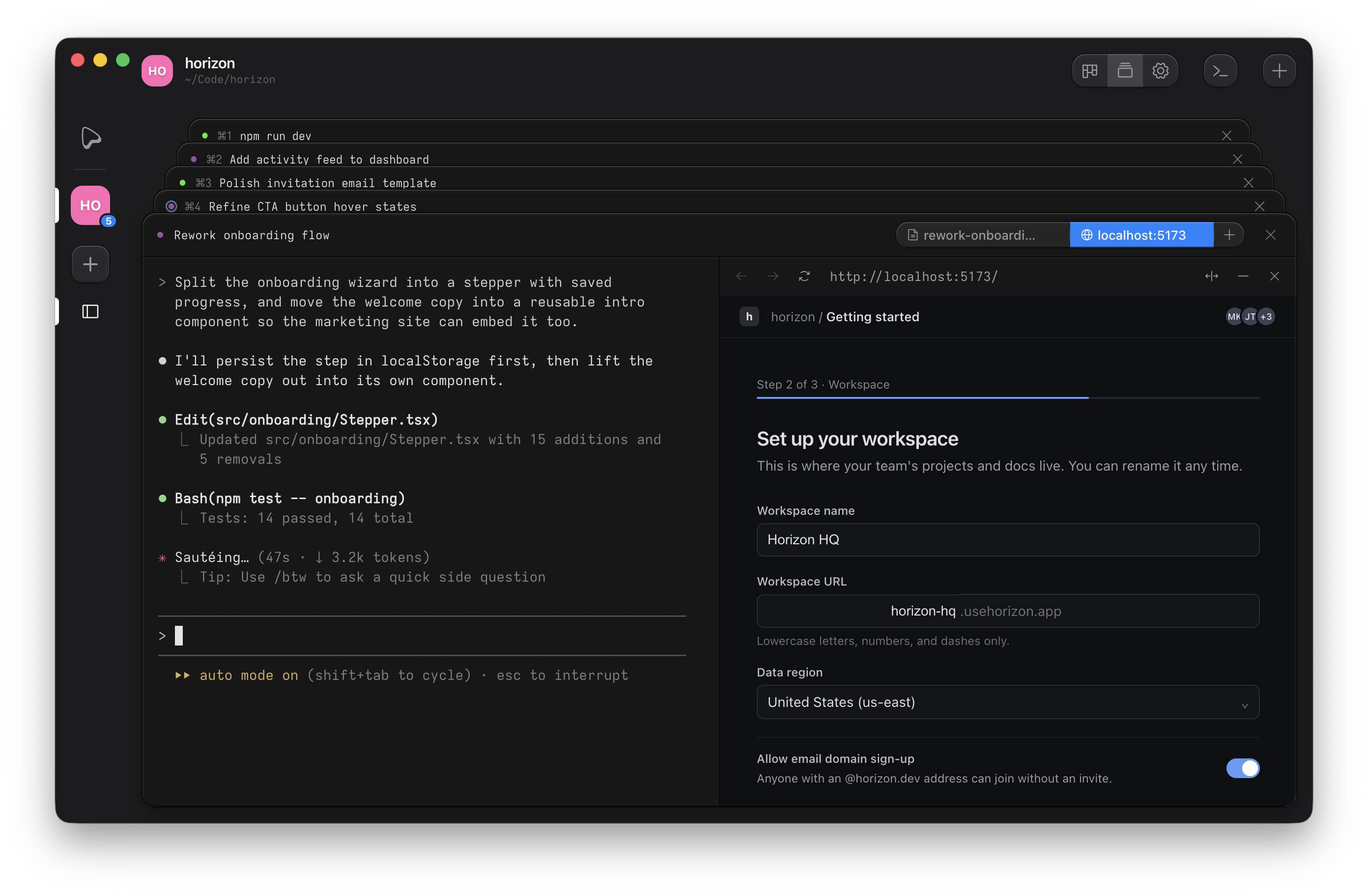
Superset is now Paradev. If you used it, you already know how Ouijit works. Each task gets a git worktree and an agent, and the agent is a CLI in a terminal. Here's how the pieces line up.
Why Ouijit
The sandbox. Worktrees keep agents out of each other's files but not off your machine. In Ouijit a task can run in a sandbox, so an agent with permission checks off is held to its worktree, while the dev server beside it stays on the host.
Every agent gets the ouijit command. Ask it to split a feature into
tasks and it starts them, each with its own agent. It can read the other agents' terminals, open its plan
beside itself, link you to the line it changed, and stage review comments for you to send.
Tasks live on a board, and moving a card runs the matching hook. Ouijit is free, open source, and runs on macOS and Linux, with no account and no telemetry.
What maps to what
A hook is a command the project runs when a task changes status. The start hook runs in the new worktree
with the task's prompt in $OUIJIT_TASK_DESCRIPTION, and the done hook runs when the task is
marked done. Both live under Project Settings → Lifecycle Hooks.
| Superset | Ouijit |
|---|---|
| Workspace | Task. Starting it creates the worktree and opens a terminal in it. |
| setup in .paradev/config.json | Start hook. It runs in the new worktree when the task starts, and usually launches your agent. |
| run | Scripts, under Run Commands. Each runs in a runner panel beside the terminal. |
| teardown | Done hook |
| Chat pane with tool approvals | The agent's own CLI, in a terminal |
| Model picker at launch | The agent's own flags, in the start hook command |
| ⌘I prompt editor with @-mentions | ⌘E expands the task composer into a document, with attachments |
| Terminal tabs, splits and presets | Terminals in a card stack, with runner, web preview and markdown panels as tabs |
| Changes pane: review, comment, edit, commit, push | Diff review, with notes the agent reads. Commits from the terminal or a hook. |
| Pull requests → Code, feedback to an agent | A note on a diff line goes to the agent in that worktree |
| Pull request pane: checks, threads, merge | Pull requests, from the project menu, with review comments staged until you send them |
| Browser pane, ports per workspace | Web preview panel. Pick ports in your scripts. |
| Working, done and waiting in the sidebar; chimes and dock badges | Thinking and ready on each card; a sound or OS notification when a turn ends |
| Command palette | ⌘K |
| Slack and Linear create workspaces | Start a task from a Linear or GitHub issue |
| Open in your IDE | Open in editor |
| Custom themes | Themes, as design-token overrides |
| MCP server, SDK | The ouijit CLI, which every agent in Ouijit already has |
| Remote Access, cloud workspaces, Automations, Pages, the iPhone and iPad app | Not yet. Ouijit runs on your machine today; hosted workspaces and a phone app are on the roadmap. |
What you give up
- Cloud workspaces, Automations, Pages, Remote Access and the iPhone and iPad app, for now. Ouijit runs on your machine today; hosted workspaces and a phone app are on the roadmap.
- The chat pane, for now. The agent's own interface runs in the terminal; a chat interface is on the roadmap.
- Editing in the diff, and committing from it. Ouijit's diff is for reading and for notes to the agent.
- Design mode and terminal splits.
- Twenty-one named agents. Any CLI runs in an Ouijit terminal, but only Claude Code, Codex, Pi and OpenCode get live status and the
ouijitcommand.
Move a project over
- Install Ouijit and open the repository as a project.
- Under Project Settings → Lifecycle Hooks, put your
setupscript and your agent command in the start hook, for example./.paradev/setup.sh && claude "$OUIJIT_TASK_DESCRIPTION", and yourteardownscript in the done hook. - Add your
runscript under Project Settings → Run Commands. - If you ran agents with their permission checks off, set the start hook to run in the sandbox, in its row under Lifecycle Hooks.
- For pull requests in the app, enable them under Project Settings → Experimental and run
gh auth login. - Press
⌘Nfor a task, give it a prompt and start it. The start hook runs in its new worktree.