Hooks
Five lifecycle hooks define how tasks launch and what runs alongside them: start,
continue, run, review, and done. Configure them per
project.
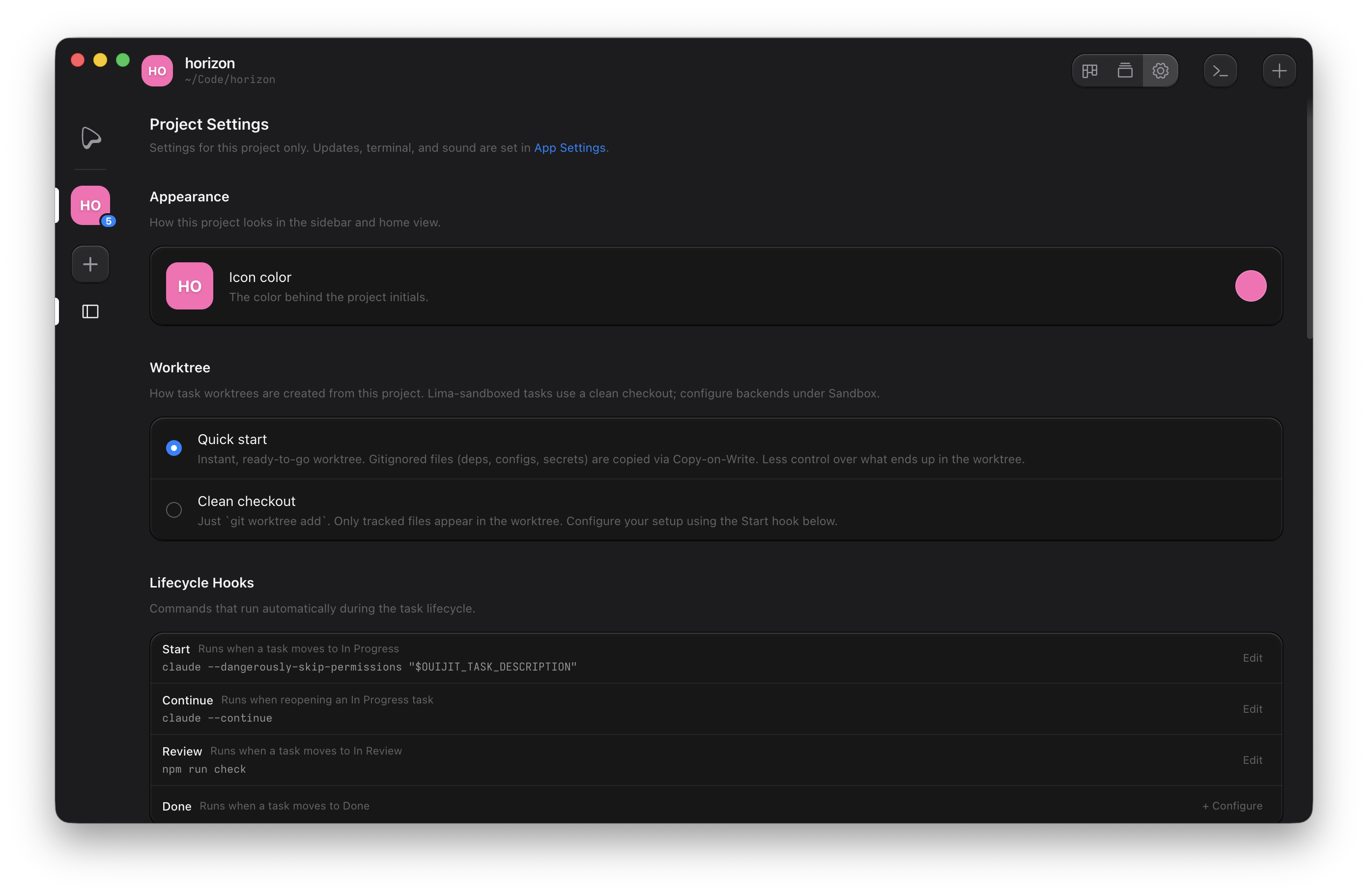
Lifecycle hooks
Configure these from the kanban column headers or Project Settings.
| Hook | When it runs | Example |
|---|---|---|
| Start | Task moves from To Do to In Progress | npm install && claude "$OUIJIT_TASK_DESCRIPTION" |
| Continue | Reopening a task already In Progress | claude -c |
| Run | The Run button, ⌘P, or a runner panel opens | npm run dev |
| Review | Task moves to In Review | gh pr create --fill |
| Done | Task moves to Done | git push origin HEAD |
The most common setup wires the start hook to an agent: claude "$OUIJIT_TASK_DESCRIPTION"
launches Claude Code with the task's prompt the moment the task starts.
Hook environment
Hooks receive the task's context as environment variables:
OUIJIT_PROJECT_PATH=/path/to/my-project
OUIJIT_WORKTREE_PATH=~/Ouijit/worktrees/my-project/T-42
OUIJIT_TASK_BRANCH=T-42
OUIJIT_TASK_NAME="Add user auth"
OUIJIT_TASK_DESCRIPTION="implement oauth login"
OUIJIT_HOOK_TYPE=start
These come on top of the variables every Ouijit terminal gets. See CLI → Environment variables.
Editor
The editor command opens a task's worktree in your editor, from Open in → Editor on a
task or terminal. It is configured like a hook (type editor, e.g. code or
hx) but is not part of the task lifecycle; it runs on demand. The command runs inside a task
terminal, so terminal editors like Helix and Vim get a real TTY, while GUI editors detach and leave a shell
behind. File links in markdown panels use the same editor to open files at a
specific line.