Diff review
Every task terminal carries a diff of its worktree, with word-level highlighting and notes that flow into the agent's prompt. Review the work without leaving the terminal it happened in.
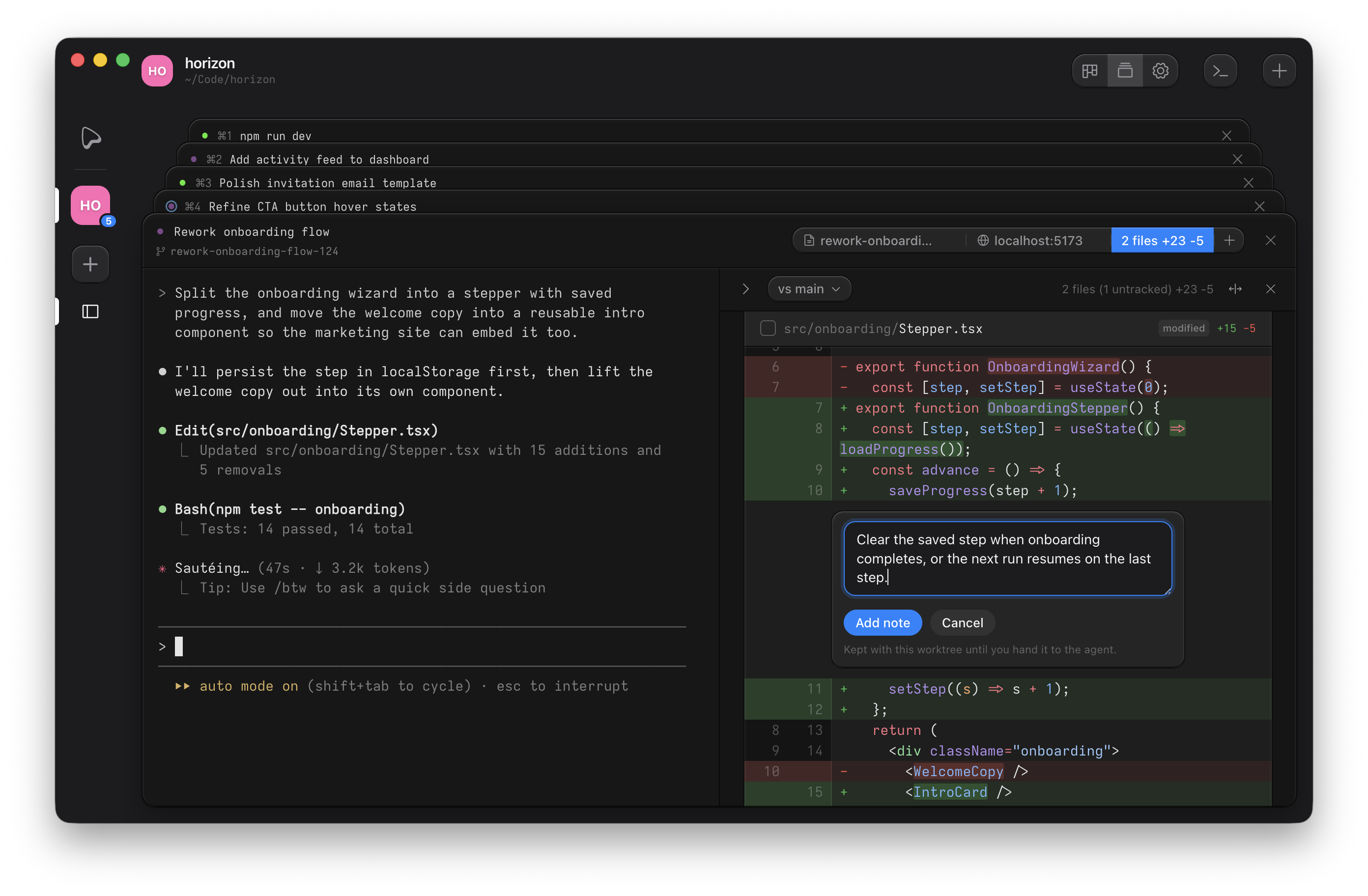
Open the diff
Click the Diff button in the terminal header (it shows the change size) or press
⌘D. The panel lists changed files in a tree, renders per-file diffs with syntax highlighting,
and marks the exact changed words within each line. Panel state survives app restarts via
session resume.
Pick a base
The comparison always ends at the working tree. The picker in the panel header chooses where it starts:
- Uncommitted changes: everything since your last commit.
- The task's merge target, the repository's main branch, or the branch's upstream.
- Any local or remote branch, searchable by name. Picking a remote ref fetches it first, and a freshness button next to the picker shows the fetch age and refetches on click.
A branch comparison shows the task's own changes, not what has landed on the target since. The chosen base is remembered per worktree.
Read it through a lens
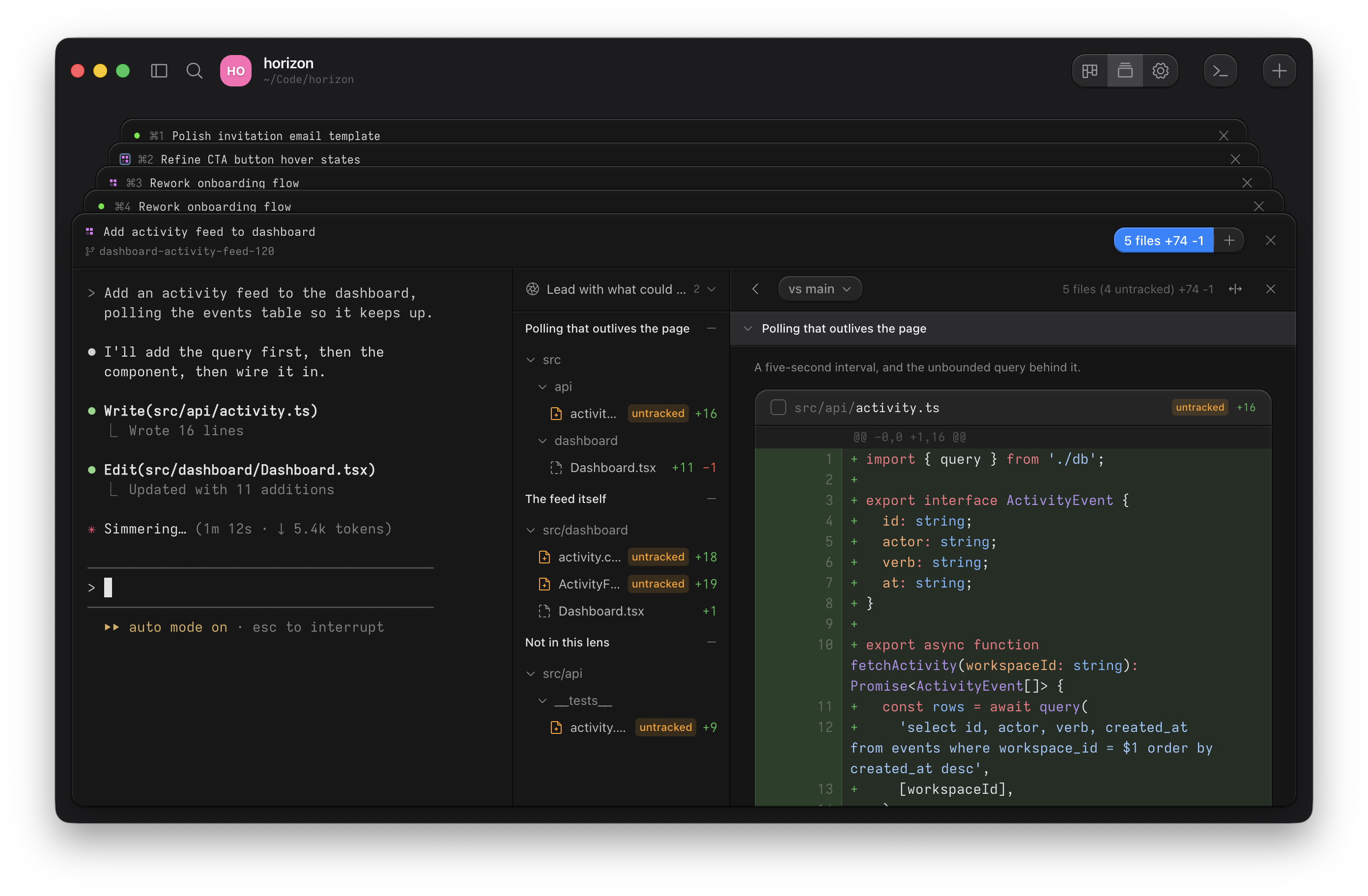
A lens is a named instruction you keep with the project — "lead with what could break in production" — that an agent applies to one change. Pick one from the picker above the file list and it reads the diff and answers with the parts of the change: a titled group, a line on why those files belong together, and the hunks that make it up. The file tree becomes one way of reading among several.
The rail and the document follow the same order, and each part folds like a folder. A file that spans two parts appears in both, showing only the hunks that part claims. Whatever no part claims is still shown, under a heading at the end: a lens reorders and splits a change, but never hides any of it.
A lens goes out of date when the change under it moves. The picker says so and offers to run it again, and on a worktree diff the older grouping stays on screen until you do — anything it no longer accounts for moves to that trailing group. Add and edit lenses under Lenses in project settings, or from the picker itself. Writing one needs Claude Code or Codex installed; where both are, you choose which runs.
Leave notes for the agent
Hover a line and click +, or drag across several lines, and write a note. Notes are kept with the worktree until you hand them over: the floating island at the bottom of the panel lists them, and Send pastes them into the terminal's prompt as one block, quoted code and all, unsent. You press Enter. Copy puts the same block on the clipboard for any other destination.
Notes anchor to the code, not the line number. As the agent edits, each note follows its text to its new location; a note whose text is gone is dropped. A note outside the current comparison is kept and flagged not in this comparison.