Session resume
Quitting saves the session. The next launch offers to bring its terminals back in their worktrees, panels included.
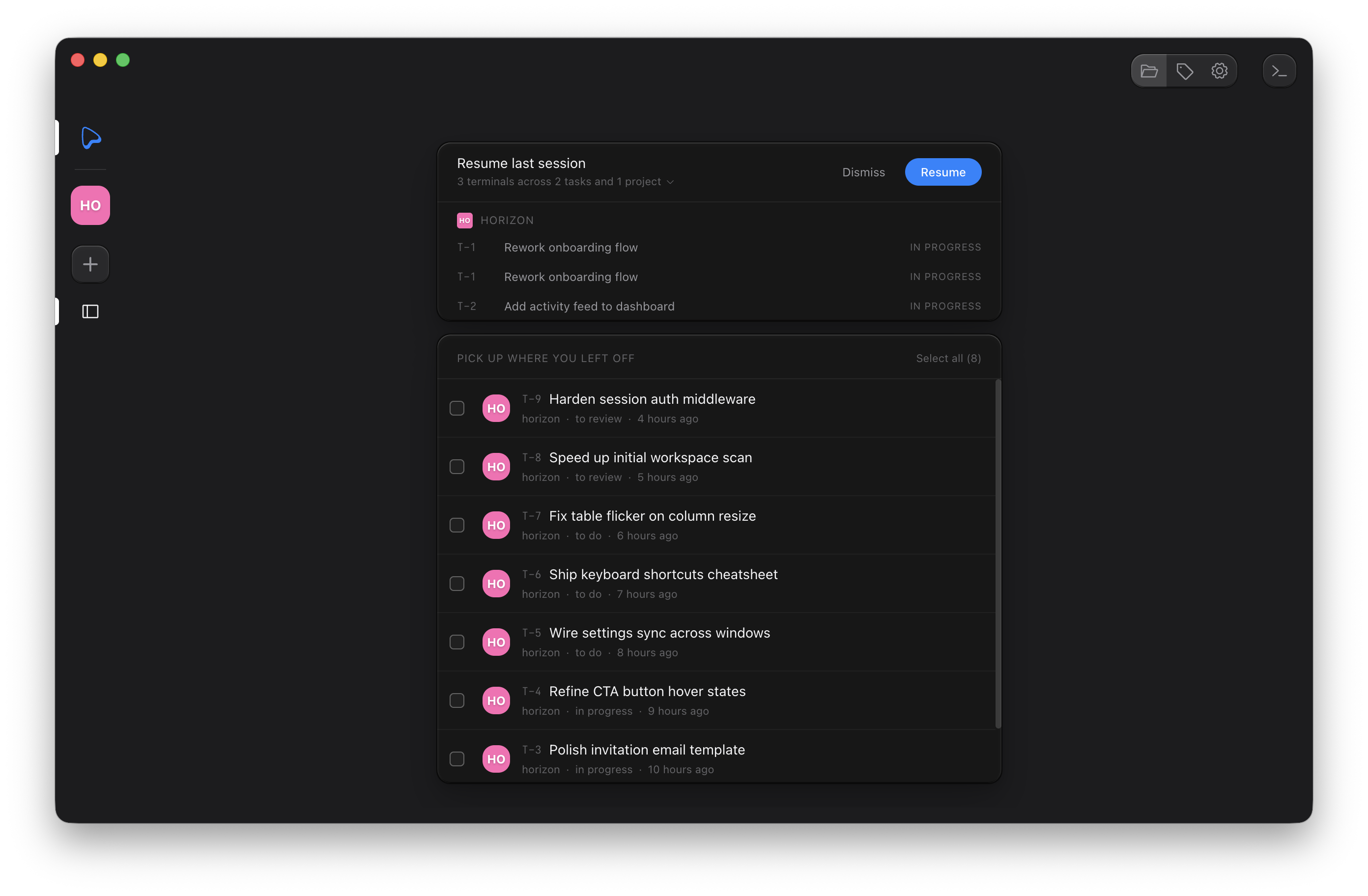
What gets saved
Ouijit continuously snapshots your open terminals: their project, task, worktree, sandbox backend, order, labels, and each terminal's panels (runner, previews with their URLs, markdown files), split sizes, and diff panel state. Closing the last terminal clears the snapshot.
Resume
On the next launch, the home view shows a Resume last session banner summarizing what was open, expandable to the full list. Resume reopens every terminal in its worktree with its panels; Dismiss clears the snapshot. Terminals whose project or task no longer exists, or whose task is Done, are skipped.
Restored terminals come back as plain shells. No hook fires, so resuming never launches a fresh agent
session on its own. To pick an agent conversation back up, use your harness's own resume (for example a
continue hook running claude -c).