Kanban board
A four-column board for tasks. Dragging a card changes its status, creates worktrees, and fires hooks.
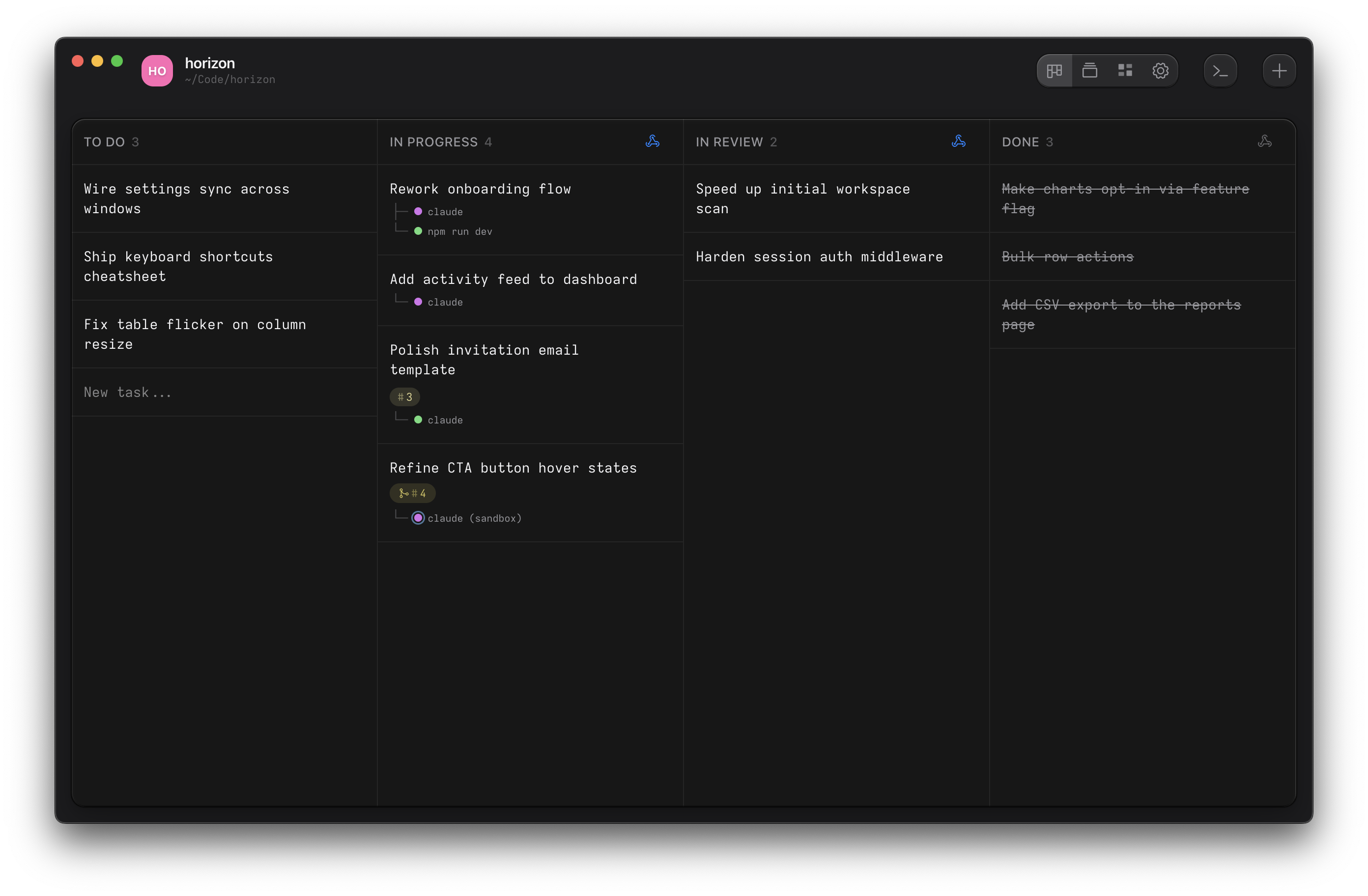
Columns
The four columns map to the four task statuses: To Do, In Progress, In Review, Done. Dragging a card between columns changes its status, which can fire a hook. Dragging from To Do to In Progress creates the task's branch and worktree. See Task lifecycle for the full mapping.
Create a task
Click the + button on a column header, or press ⌘N (Ctrl+N on
Linux). A task takes a name and an optional prompt for the agent. Paste images into the prompt and the
agent can read them when the task runs.
Each task gets an auto-incrementing number (T-1, T-2) used for branch names and
worktree directories.
Act on a task
Right-click a task card for its context menu:
- Open in. A terminal in the task's worktree, a sandboxed terminal for each installed backend (nono or Custom), your editor, or the OS file manager.
- Rename. Edit the task's name inline.
- Move to Done / Reopen. Complete an active task or reopen a finished one.
- Delete. Remove the task, its worktree, and its branch.
If a task has running terminals, they appear at the top of the menu so you can jump straight to them.
With the GitHub surface enabled, cards show a badge for their linked pull request, and the menu adds Create pull request or Pull request #N.
Shells outside tasks
Terminals that don't belong to a task (a plain project shell) get their own strip on the board, so nothing you have running is hidden behind a card.